Mauricio Martinez · Work
Contents

Case Study: Debit Revamp

Rebuilding how customers buy crypto with a debit card, from card linking to the risk rules behind every approval.

Role: Lead designer

With: Head of Product, Product Manager, engineering, compliance, risk, Sardine

Outcomes & Impact:

  • Transaction approval rate up from 22% to ~62%
  • Decrease in chargebacks
  • ~$6–7M in monthly debit activity

The problem

Debit was failing before customers even tried to buy.

Only 22% of debit transactions were approved.

Card linking relied on microtransactions, and many banks blocked them automatically.

Our previous risk vendor rejected legitimate customers without telling us why. Customers couldn’t remove a card without calling support, so support volume was high and revenue was falling.

From the customer’s side

Customers felt unsure, stuck and powerless.

  • Their bank blocked the microtransaction, so the card wouldn’t link.
  • Verification took 1–2 days, when they expected to buy right away.
  • Rejections came with a generic error and no next step.
  • Removing a card meant calling support.
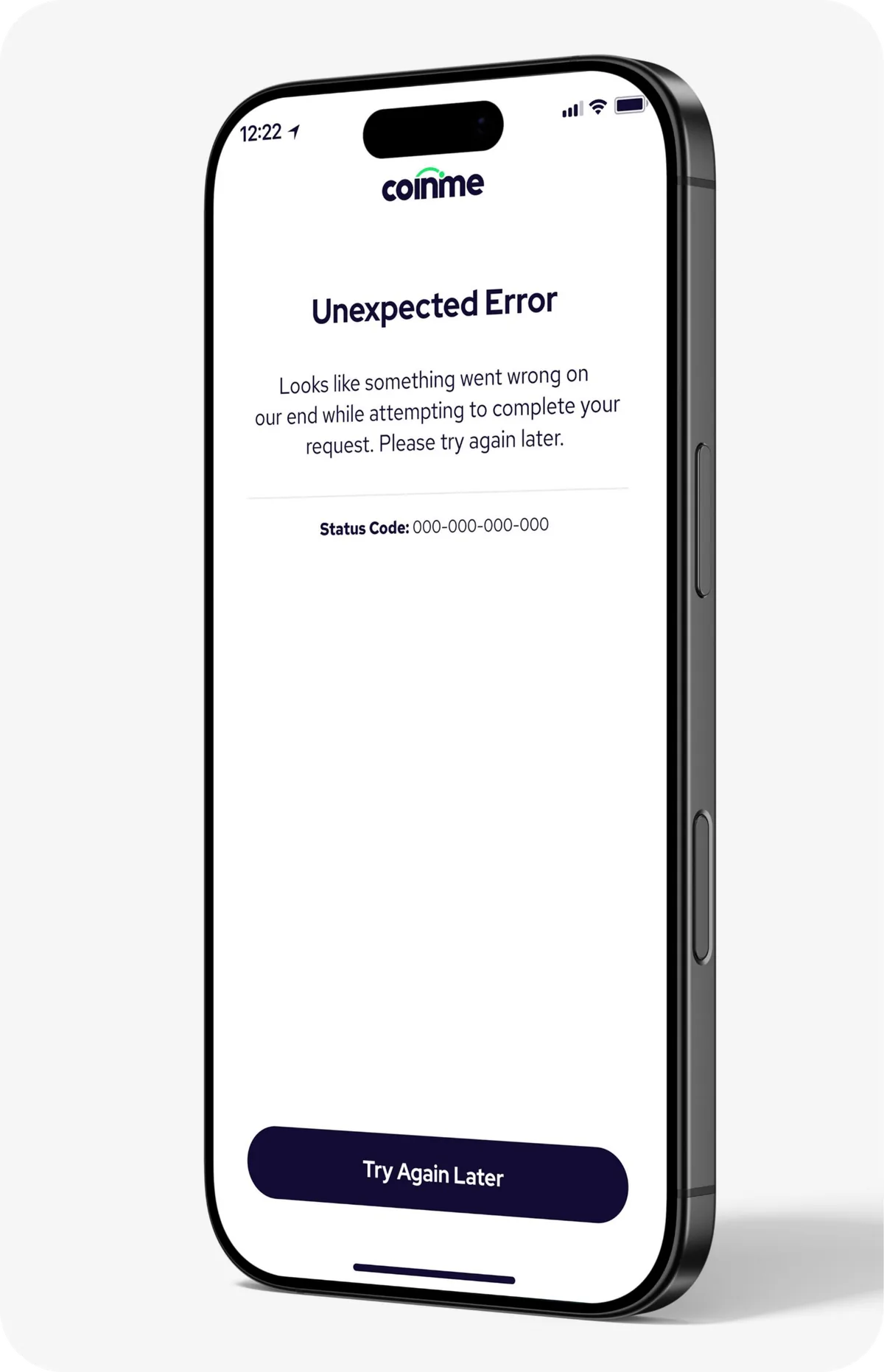
The old generic error on a phone: “Unexpected Error. Looks like something went wrong on our end while attempting to complete your request. Please try again later.” Status Code: 000-000-000-000, and a Try Again Later button.
Before I joined

Cards looked added, but customers couldn’t use them.

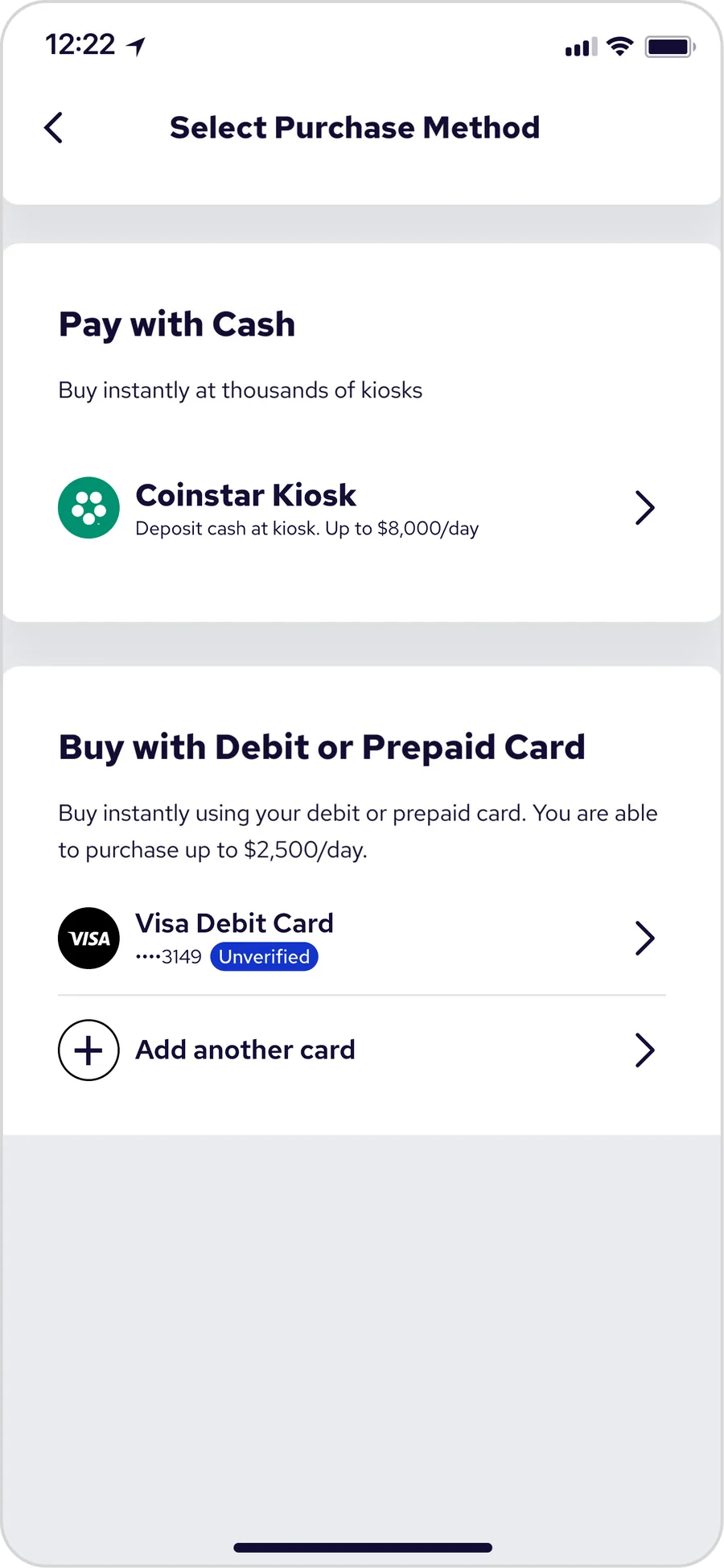
When a customer added a card, it showed up in their account right away. But until the microtransaction was completed, it stayed “unverified”, and they couldn’t pay with it.

From the customer’s side, the card was there, with no clear reason why it didn’t work. And because removing a card meant calling support, a card stuck as unverified turned into a support ticket.

This was how the first version worked, before I took over the debit flow.

The first version’s Select Purchase Method screen. Pay with Cash: Buy instantly at thousands of kiosks, Coinstar Kiosk, Deposit cash at kiosk. Up to $8,000/day. Buy with Debit or Prepaid Card: Buy instantly using your debit or prepaid card. You are able to purchase up to $2,500/day. A Visa Debit Card ••••3149 with a blue Unverified tag, and Add another card.
First version, 2022.
Discovery

What we learned before rebuilding anything

InsightWhere it came fromWhat it changed
Many banks automatically blocked the test charges (microtransactions) used to verify cards.Processor failure data, funnel analysisDecision 1: remove microtransactions
Legitimate customers were rejected, and we couldn’t see which rule fired.Risk team, vendor decision dataDecision 2: move to risk rules we could see and tune
Generic errors left customers with no next step.Support tickets, customer behaviorEvery error explains what happened and what to do
Removing a card required a call to support.Support patternsSelf-serve card management
After launch, some customers still struggled to link cards, and chargebacks rose.Post-launch monitoringDecision 3: add Apple Pay

Methods: funnel analysis · processor failure data · support ticket patterns · input from risk and engineering

Strategy

I reframed it with our Head of Product and Product Manager: rebuild how debit works, not just the flow.

The goal was to make debit predictable, stable and trustworthy.

That meant changing the system behind the screens: verification, risk rules and card management.

What I did

  • Reframed the problem together, from “fix the flow” to “rebuild the system”
  • Defined success metrics: approval rate, repeat use and lower support volume
  • Scoped the first release, balancing user experience, risk and compliance
  • Ran weekly triage so every decision tied back to the goal

Four moves that rebuilt trust

  1. 01Remove the biggest blocker

    Card linking failed at the test-charge step, so we took that step out.

  2. 02Explain every outcome

    Every rejection says what happened and what the customer can do next.

  3. 03Give customers control

    Customers add and remove cards themselves, without calling support.

  4. 04Make risk visible to us

    We needed rules we could see, tune and explain, not a black box.

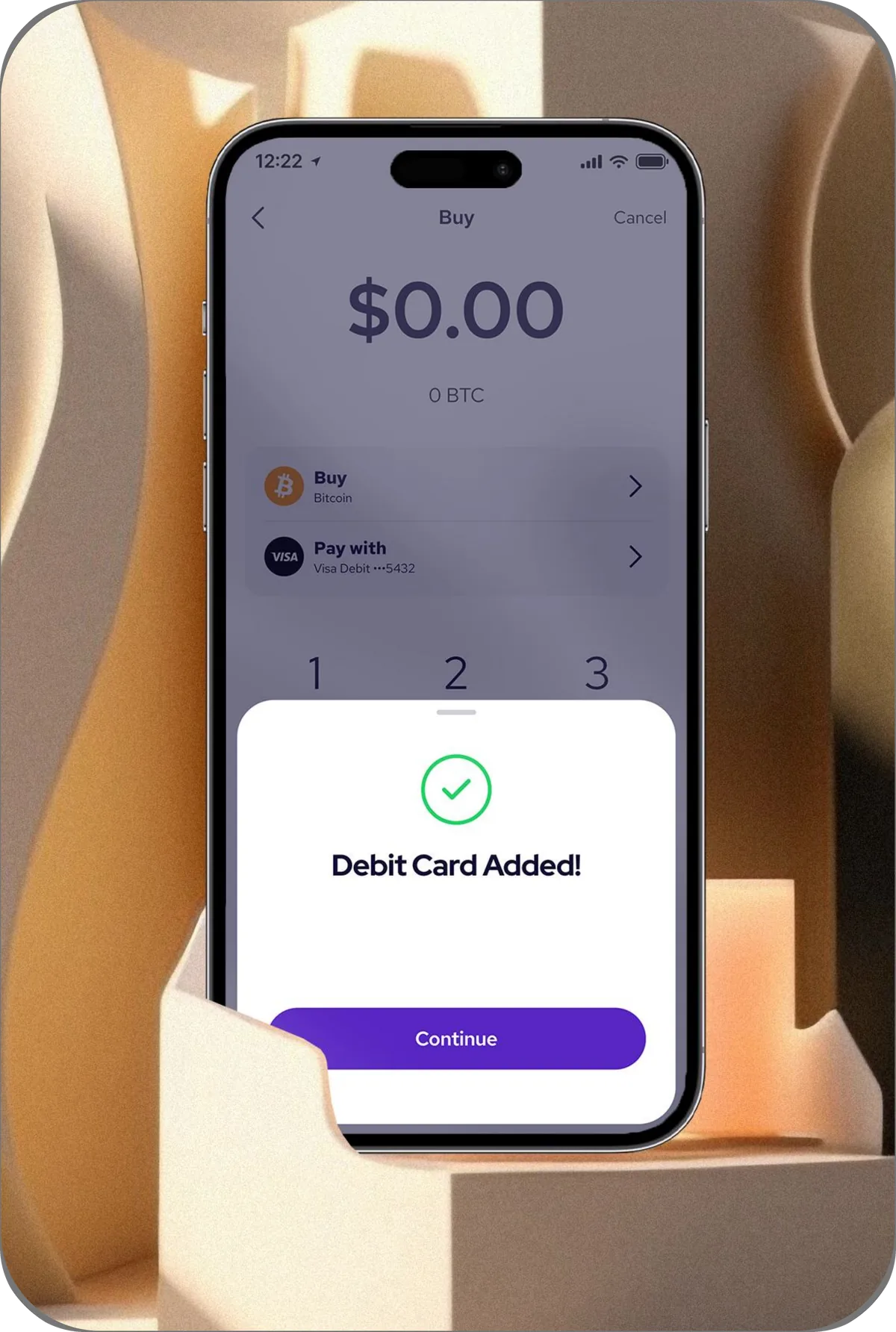
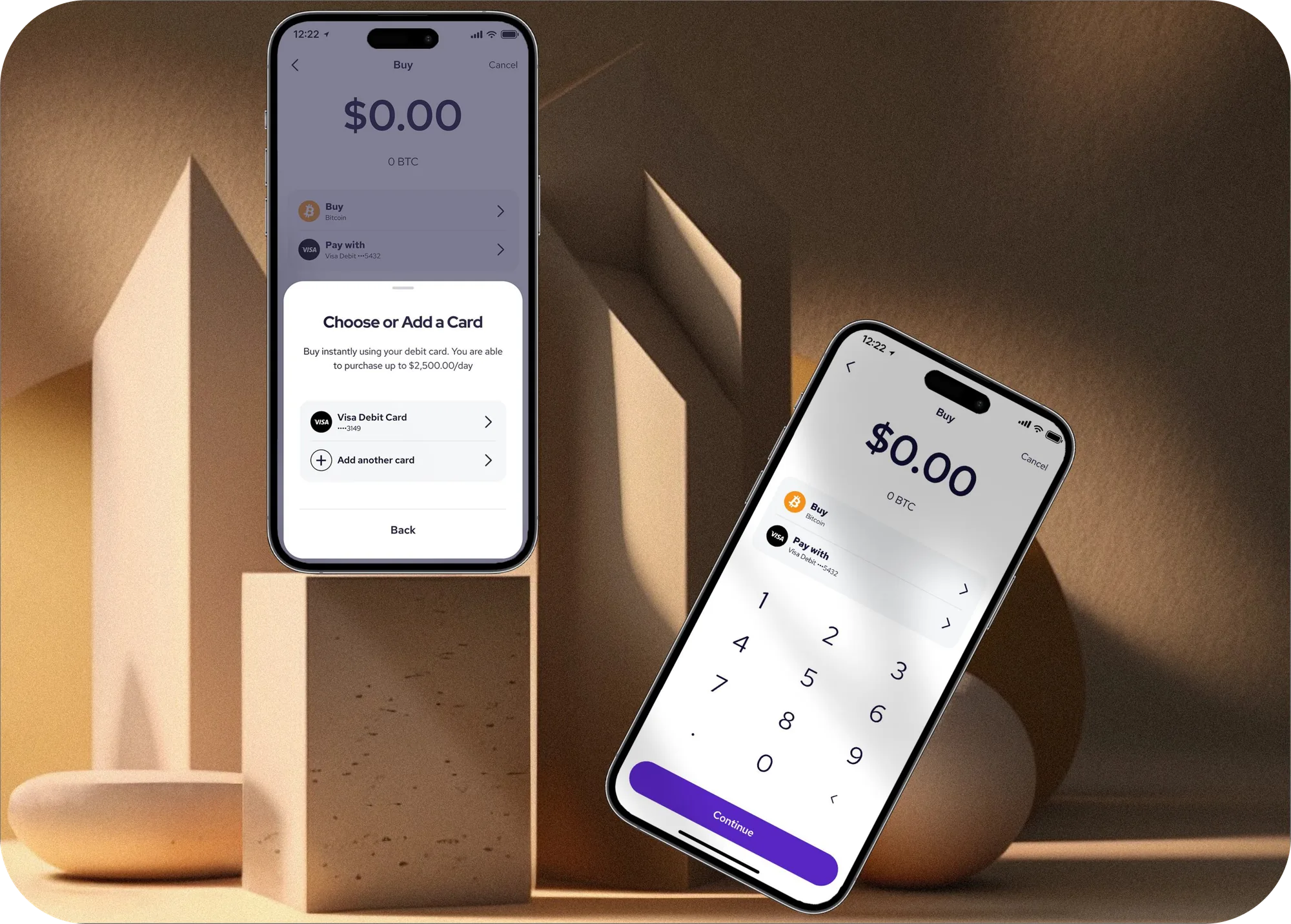
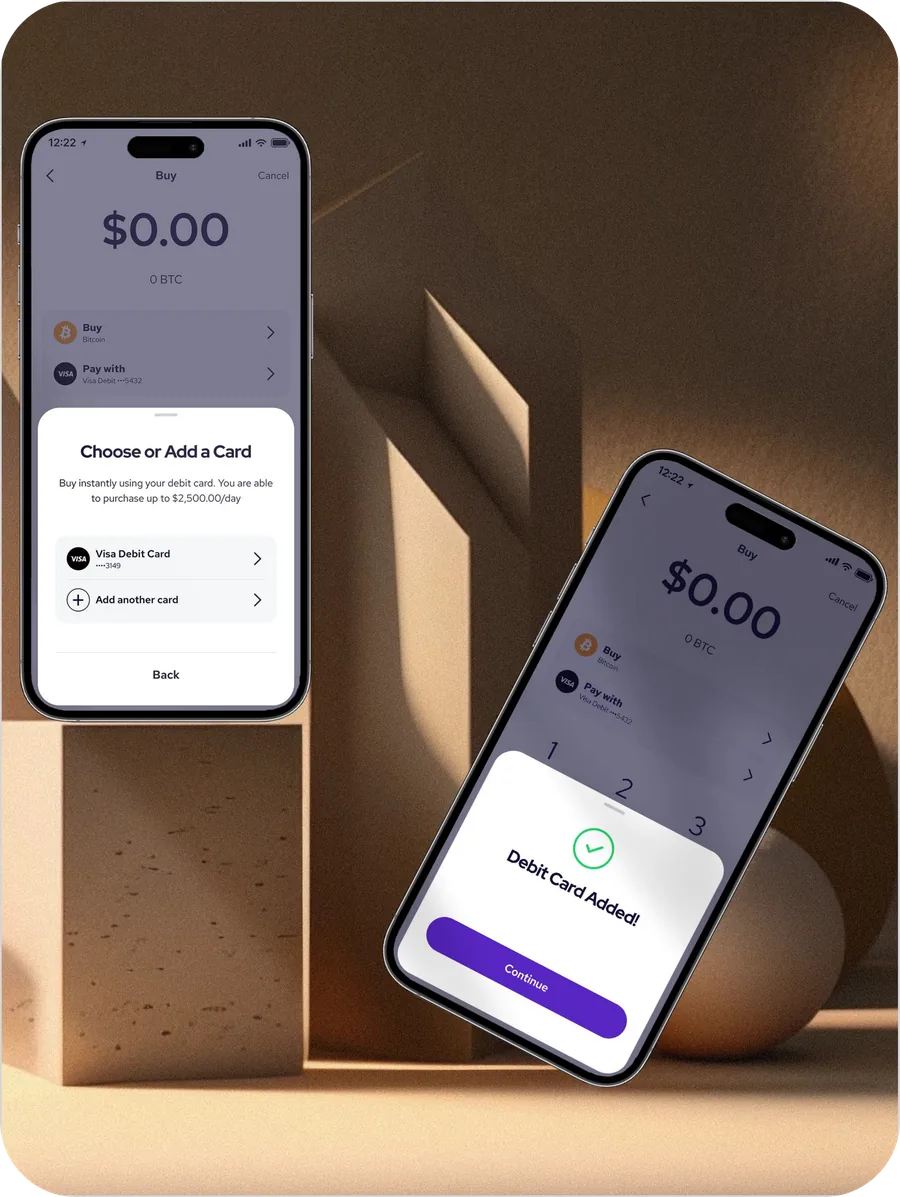
Two phones on stone blocks: the Choose or Add a Card sheet with a Visa Debit Card and Add another card, and a tilted Buy screen with a Debit Card Added! sheet and a Continue button.

Key decision 1 of 3 · Banks were blocking the test charges we used to verify cards

Remove microtransactions from card linking.
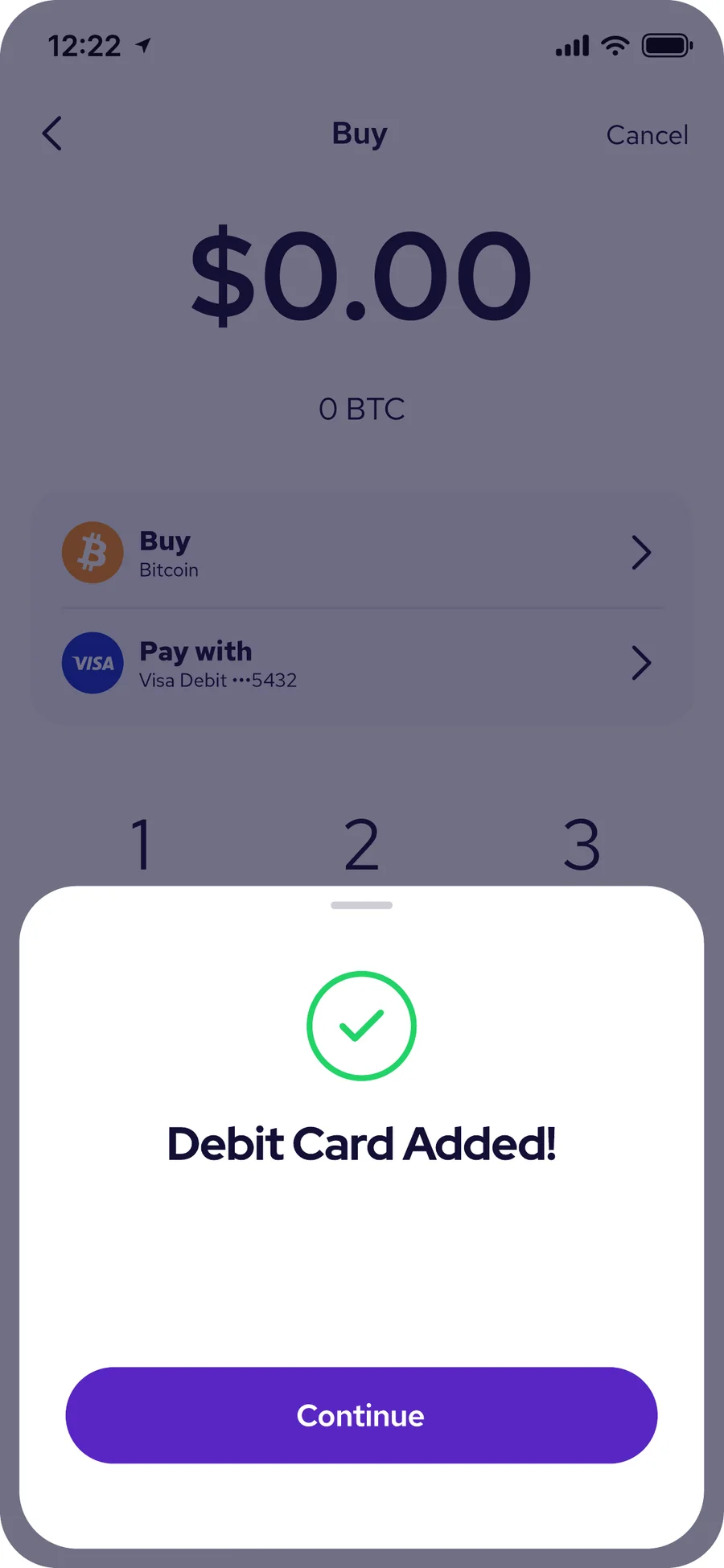
Buy screen at $0.00 with Pay with Visa Debit, under a Debit Card Added! sheet with a green check and a Continue button: the card links straight away, with no test charge.
  1. A · Keep microtransactions

    Rejected: many banks block them automatically

  2. Chosen option: B · Verify with a live bank check and our own risk rules

    The processor compares the card’s billing address at the bank with our KYC address. A mismatch is rejected.

Why I chose B

Test charges failed at many banks and added a 1–2 day wait. The bank check already verified the card, so the test charge added friction, not safety.

Tradeoff

Card checks now depended on our processor’s bank check and our own rules being right.
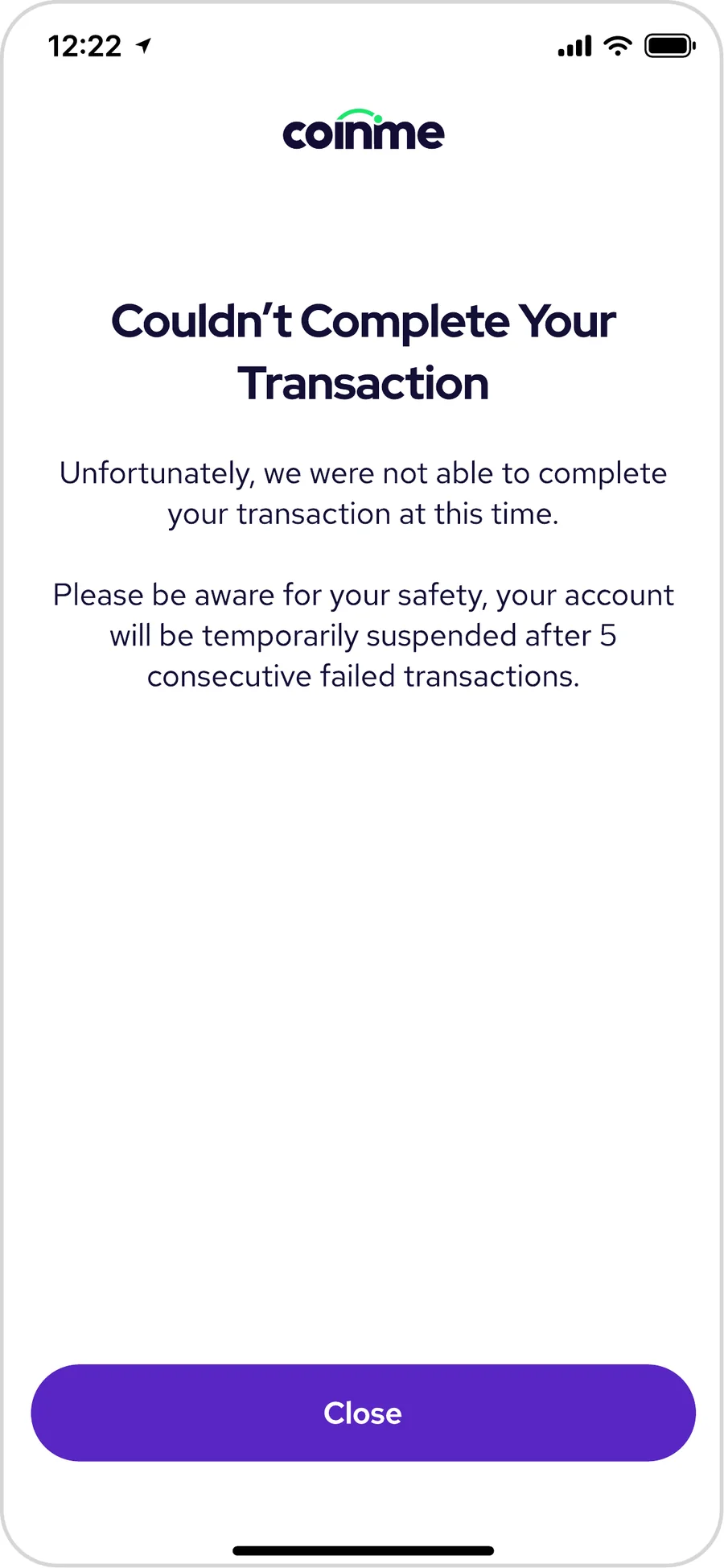
Key decision 2 of 3 · Our risk vendor rejected good customers and couldn’t tell us why

Move to a risk partner whose rules we could see and tune.

Coinme screen titled Couldn’t Complete Your Transaction: “Unfortunately, we were not able to complete your transaction at this time. Please be aware for your safety, your account will be temporarily suspended after 5 consecutive failed transactions.” and a Close button.
  1. A · Keep the current vendor

    Rejected: no visibility into why customers were rejected

  2. B · Stripe

    Rejected: less visibility and fewer rule controls than Sardine

  3. Chosen option: C · Sardine

    We set the rules: low risk is approved, medium risk gets a 2FA check, high risk fails.

Why I chose C

The old vendor rejected good customers, and we couldn’t see why. With Sardine, we set the rules and the risk tolerance ourselves.

Tradeoff

Sardine sometimes overreacted and blocked good customers. It was a small share: support handled it, and compliance cleared them quickly.

Cards

I gave customers control over their cards, without opening the door to abuse.

In the first version, customers could link any number of cards, and removing one meant calling support.

What I did

  • Added self-serve card removal, so customers no longer call support to unlink a card
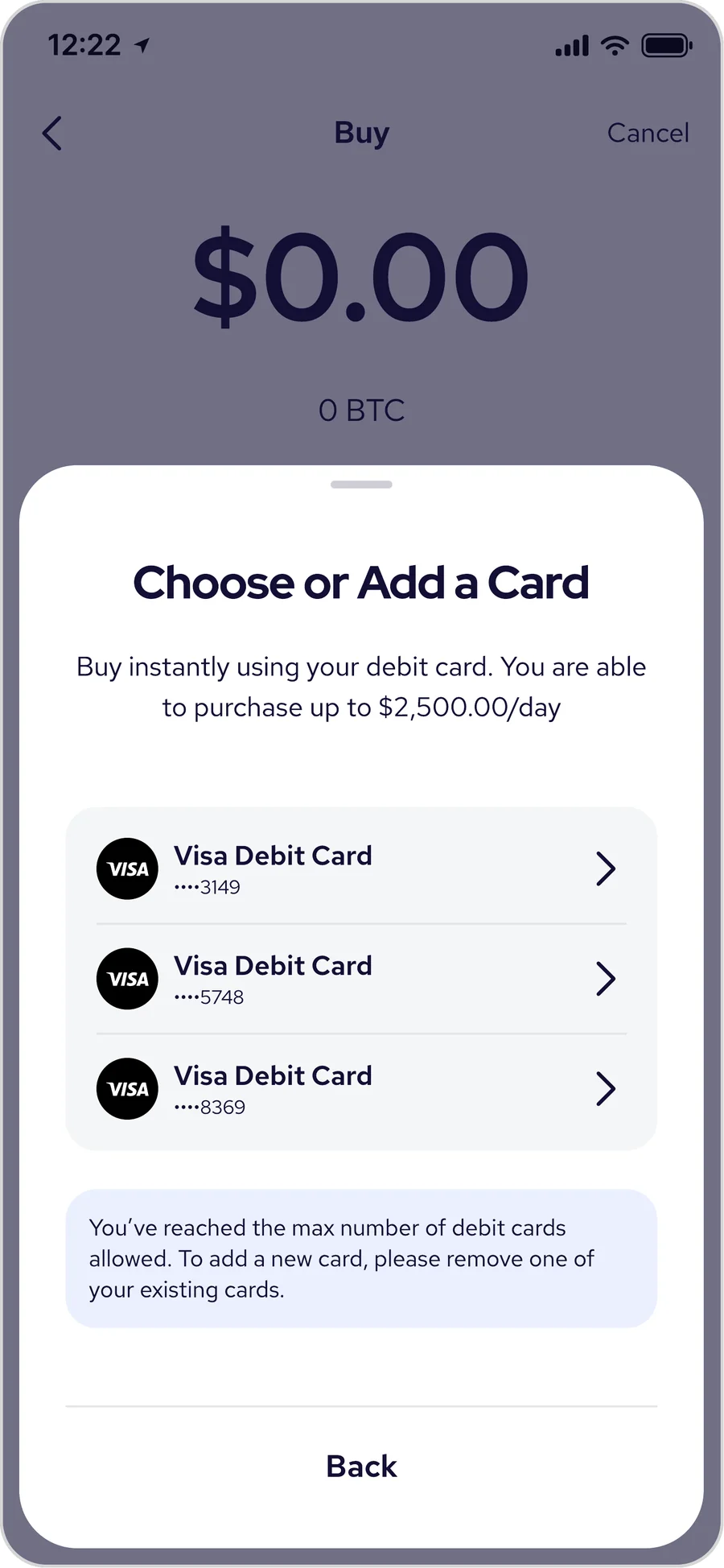
  • Limited linking to 3 cards a year, and showed clearly when the limit was reached
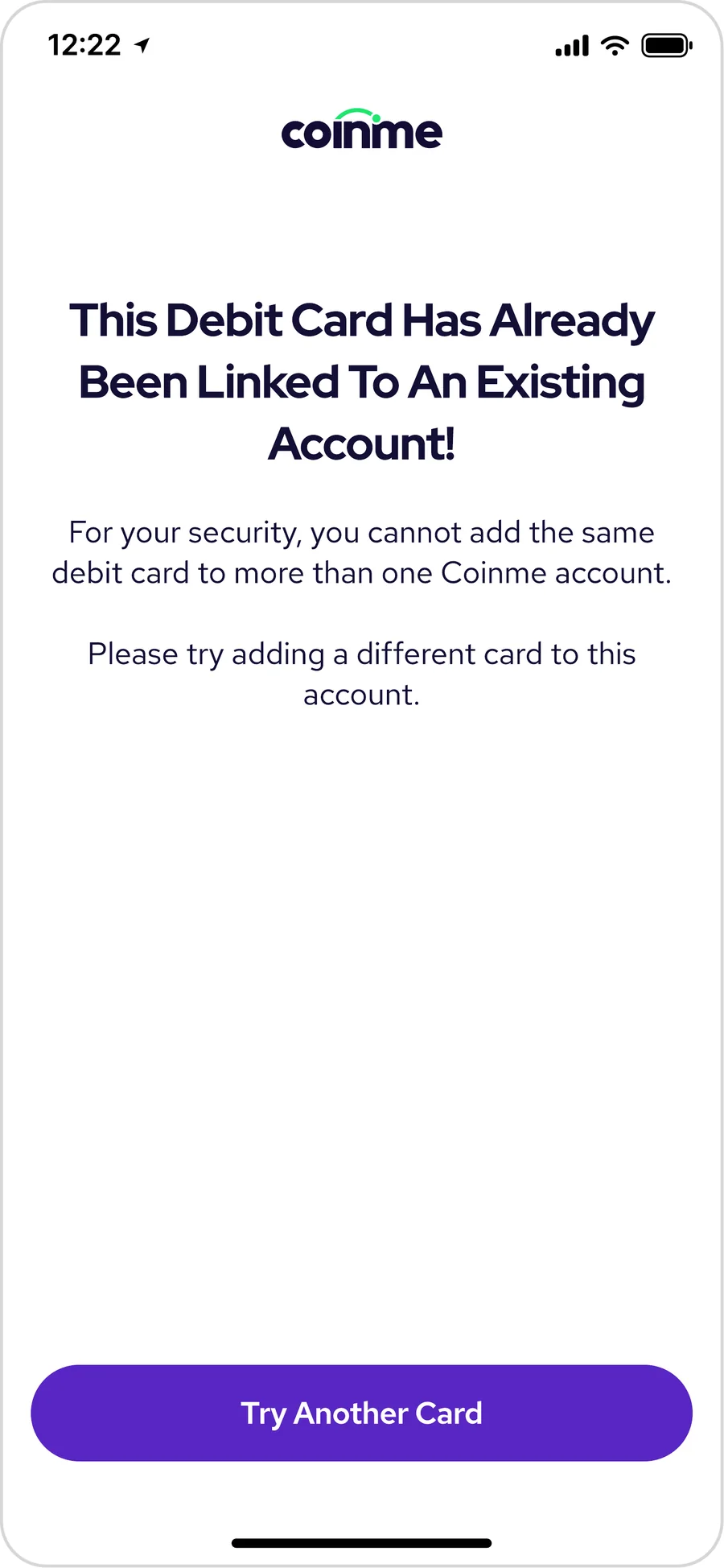
  • Blocked cards already linked to another account, with an error that says why
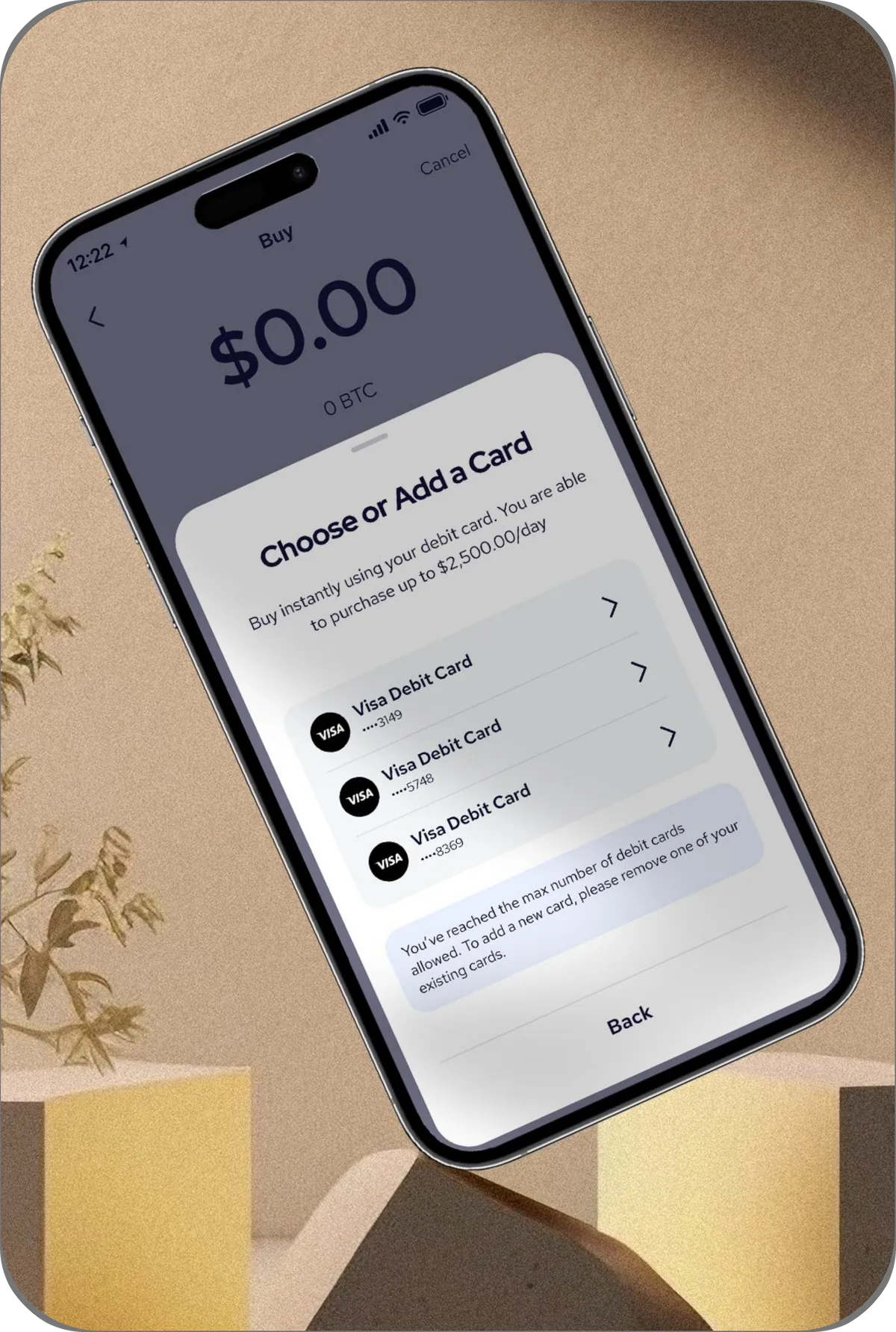
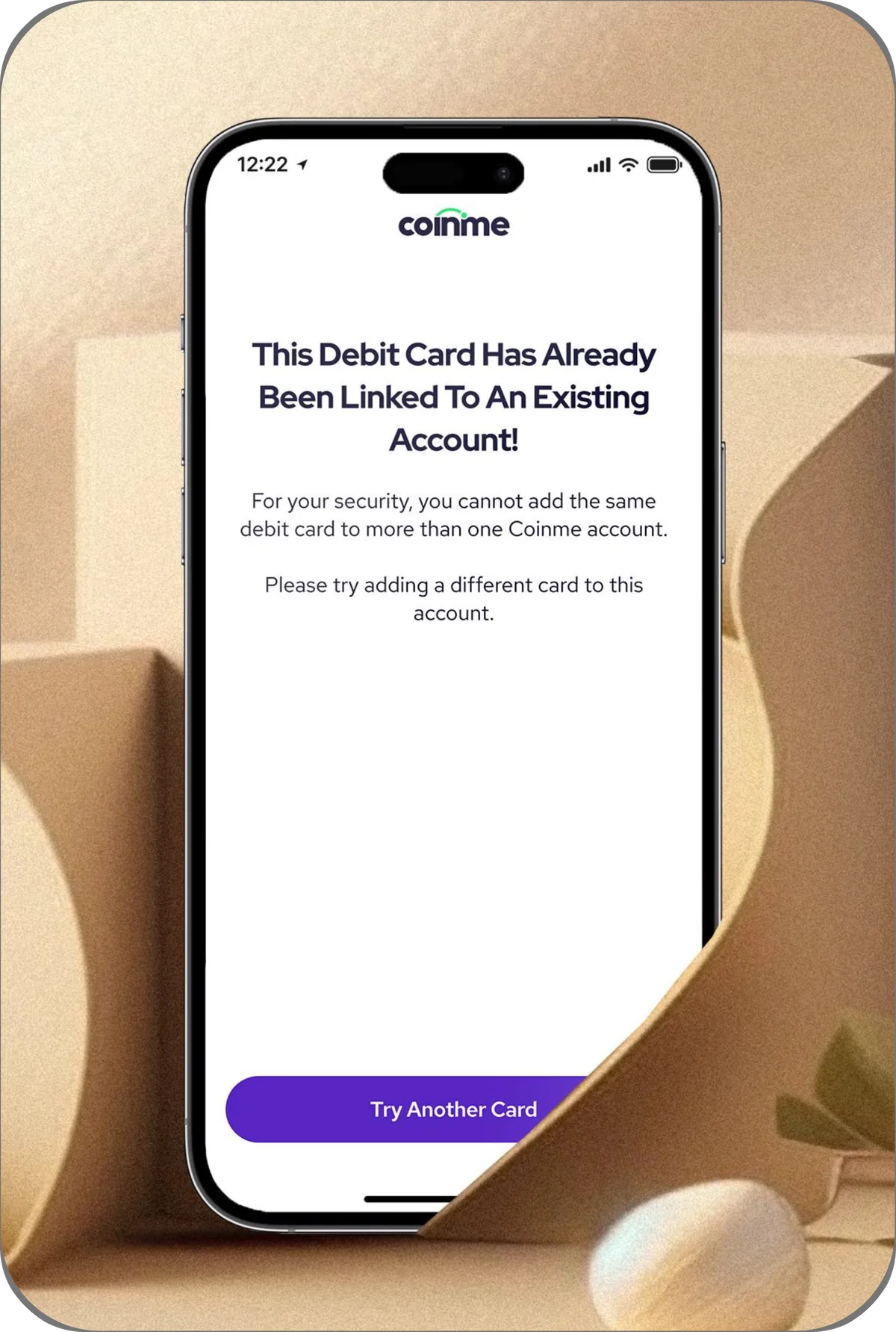
Choose or Add a Card sheet over the Buy screen: “Buy instantly using your debit card. You are able to purchase up to $2,500.00/day”, three Visa Debit Cards ending 3149, 5748 and 8369, the message “You’ve reached the max number of debit cards allowed. To add a new card, please remove one of your existing cards.” and Back. Coinme screen: “This Debit Card Has Already Been Linked To An Existing Account!” “For your security, you cannot add the same debit card to more than one Coinme account. Please try adding a different card to this account.” and a Try Another Card button.
Card limit reached: three cards, and a clear message about why no more can be added.
Every state

I mapped every system state with engineering and Sardine.

Errors, retry paths, timing and fallbacks all decided what customers saw, so they were design work, not just engineering work.

During the build, I ran UX check-ins so the final product matched the intent, especially error states and timing.

What I did

  • Mapped every system state, error and retry path
  • Defined expiration timing, sequencing and fallbacks
  • Designed flows around real API constraints
  • Synced weekly with Sardine and Coinme engineering
  • Reviewed the build in UX check-ins before release
  • Designed recovery paths for every error, including the new 2FA and risk failure states
Final design

Errors say what happened and what to do next.

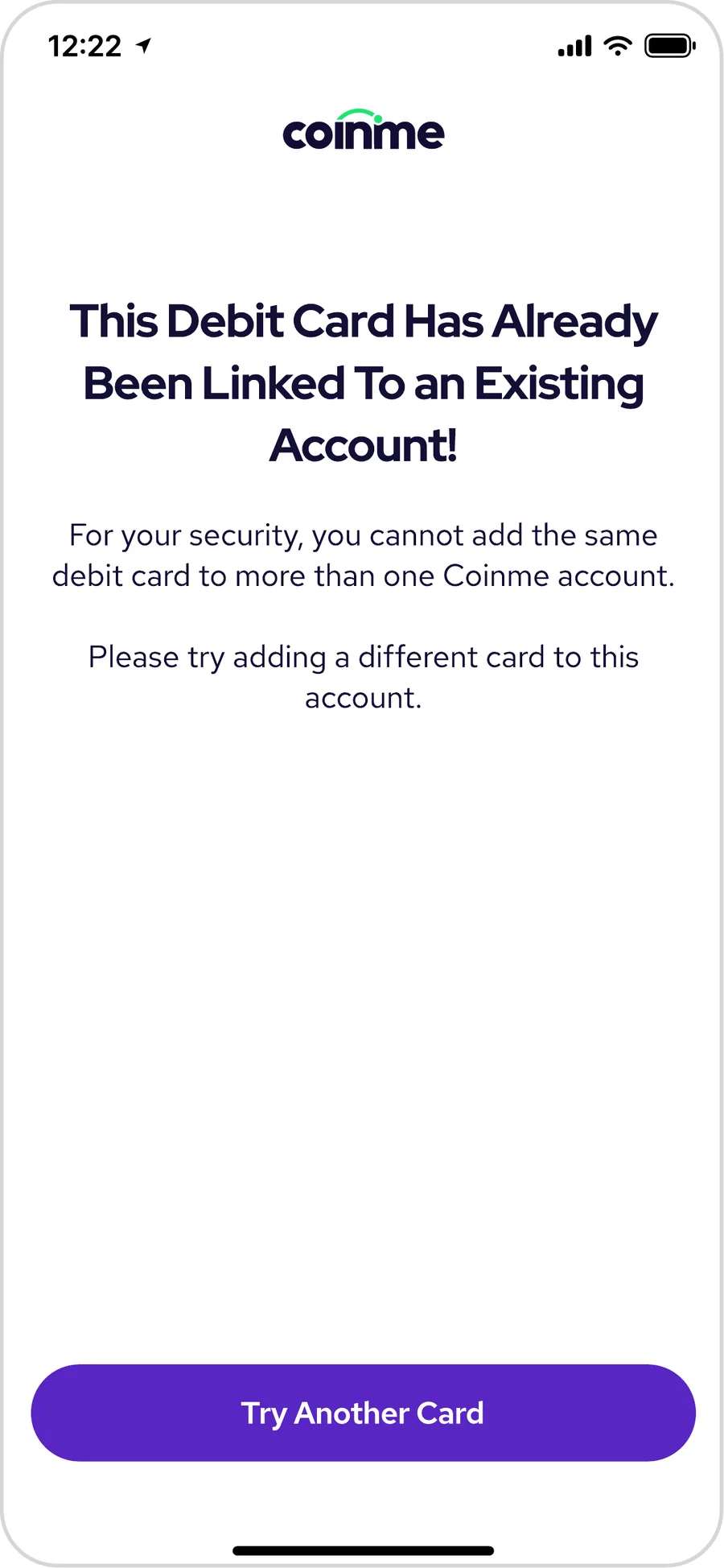
  1. “This Debit Card Has Already Been Linked To an Existing Account!” “For your security, you cannot add the same debit card to more than one Coinme account. Please try adding a different card to this account.” Try Another Card button.

    1. Card already linked

    Says the card is already linked to another account, and offers another card.

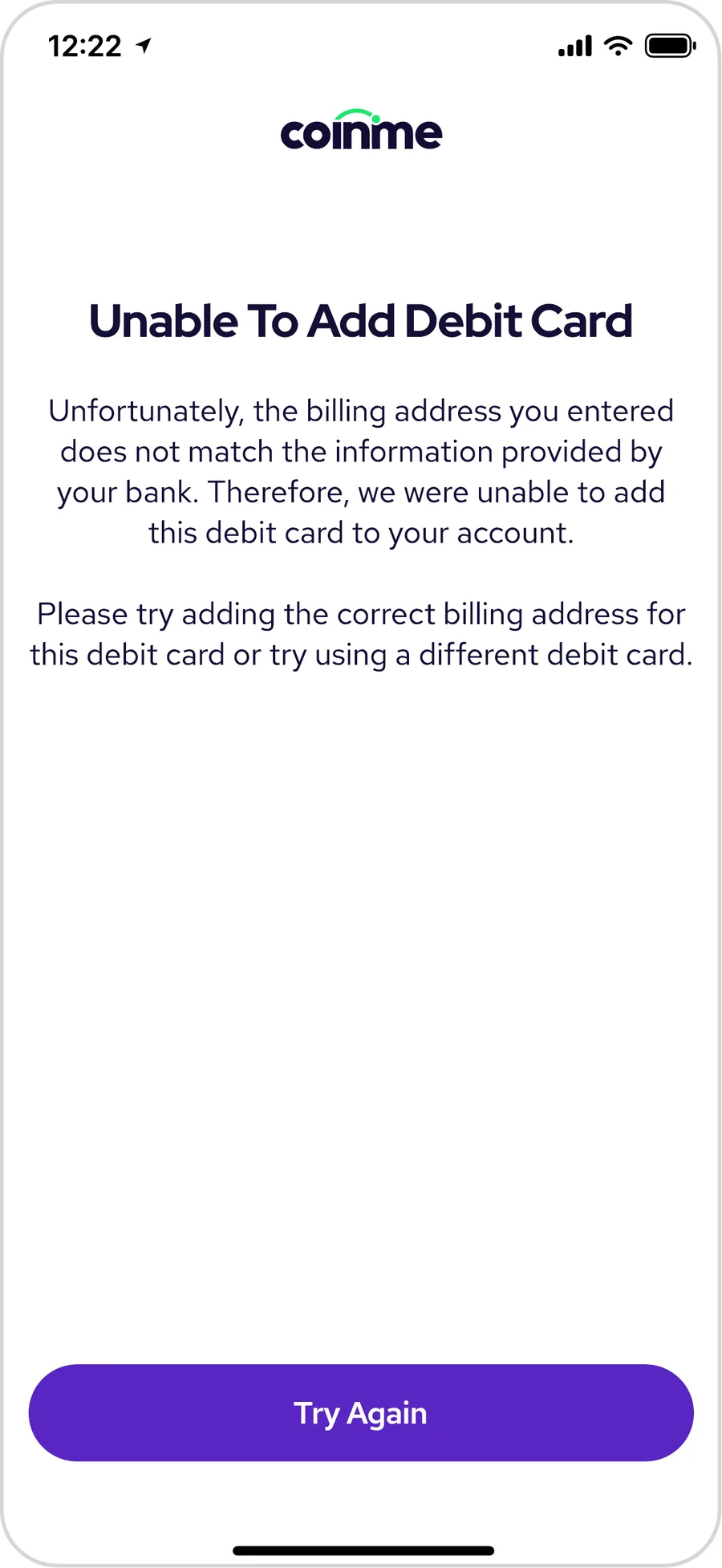
  2. “Unable To Add Debit Card.” “Unfortunately, the billing address you entered does not match the information provided by your bank. Therefore, we were unable to add this debit card to your account. Please try adding the correct billing address for this debit card or try using a different debit card.” Try Again button.

    2. Card details don’t match

    Explains the mismatch, then offers a retry.

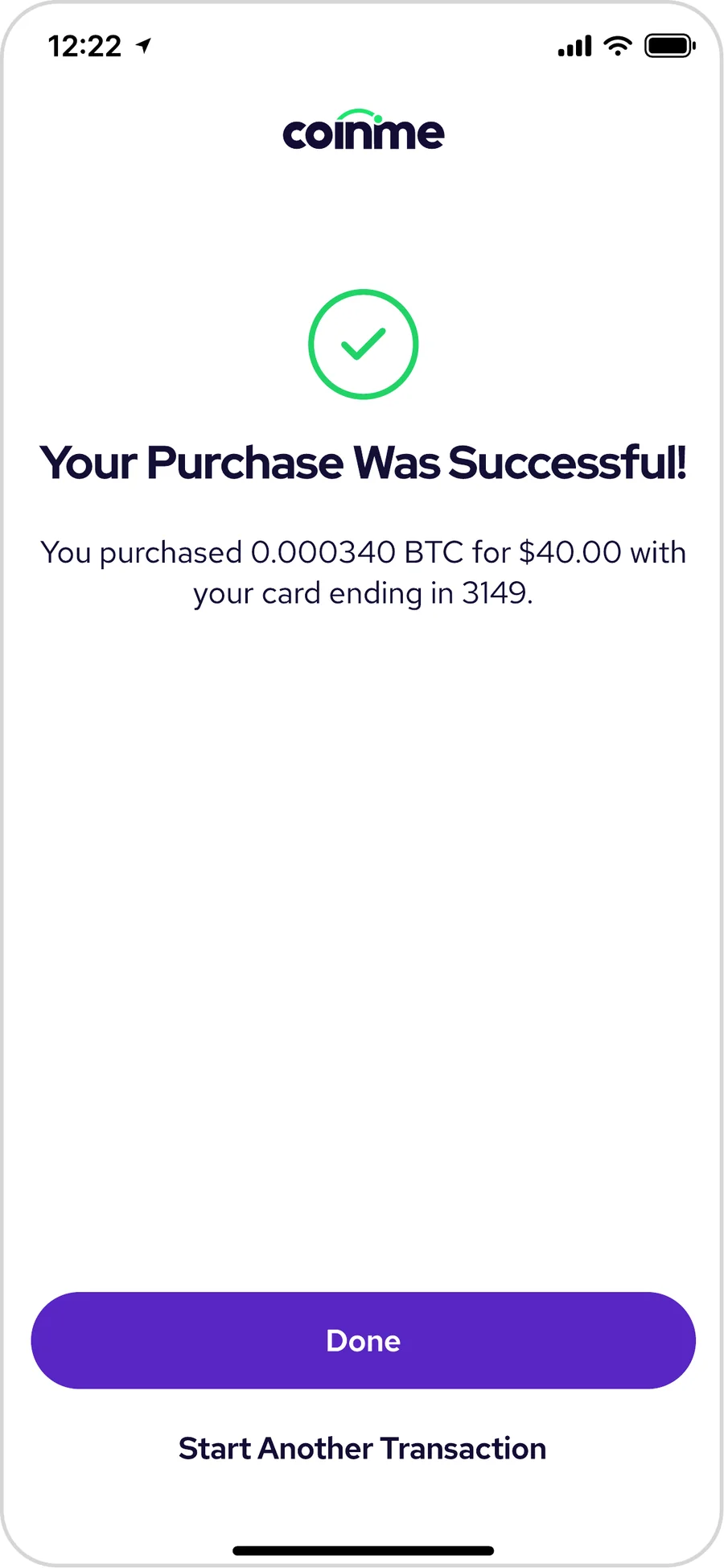
  3. Green check and “Your Purchase Was Successful!” “You purchased 0.000340 BTC for $40.00 with your card ending in 3149.” Done button and Start Another Transaction.

    3. Purchase complete

    Shows the amount, the card used and a clear next step.

Key decision 3 of 3 · After launch, chargebacks were still rising

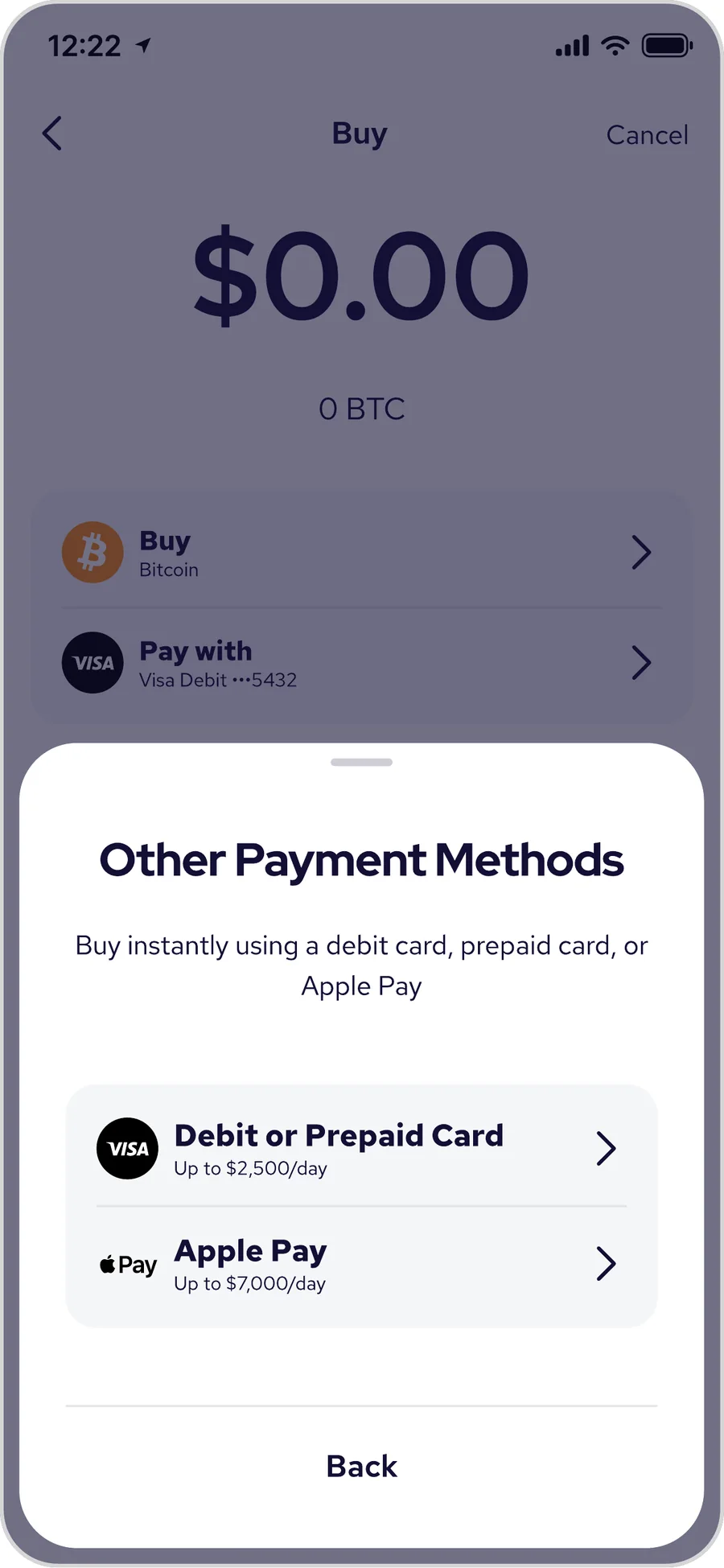
*Backlog Item: Add Apple Pay, so customers can skip card linking.

Other Payment Methods sheet over the Buy screen: “Buy instantly using a debit card, prepaid card, or Apple Pay”, with Debit or Prepaid Card, Up to $2,500/day, and Apple Pay, Up to $7,000/day, and Back.
  1. A · Keep improving card linking only

    Rejected: it couldn’t stop chargebacks from customers disputing their own purchases

  2. B · Add 3D Secure

    Rejected: more to build, and less precise than biometrics on the phone

  3. Chosen option: C · Add Apple Pay

    Live Face ID or Touch ID before every purchase, and Apple vets the card and the person.

Why I chose C

Chargebacks were the real risk. Biometrics prove the card owner is there, so “I didn’t make this purchase” claims become much harder.

Tradeoff

Only iPhone users could use it. Everyone else still linked a card.

After launch · May 2026

When failures and fraud rose, I followed the data before changing the design.

Debit volume dropped and failed transactions rose. We first checked with the risk team whether a Sardine rule change was blocking good customers. The real cause: many customers didn’t know they were over their limits.

At the same time, chargebacks rose. The risk team found fraud rings abusing the system, so we tied limits to account age.

What we changed

  • Brought in the inline limit errors from Coinme Cash, so customers see an amount is over their limit before they buy
  • Set limits by account age: a smaller daily limit in the first 30 days, then the full $2,500 a day
  • Showed each customer the amount they could buy, based on their account age
  • Trade-off: good new customers were capped low at first. We accepted that to cut fraud and chargebacks, and to protect our state licenses.
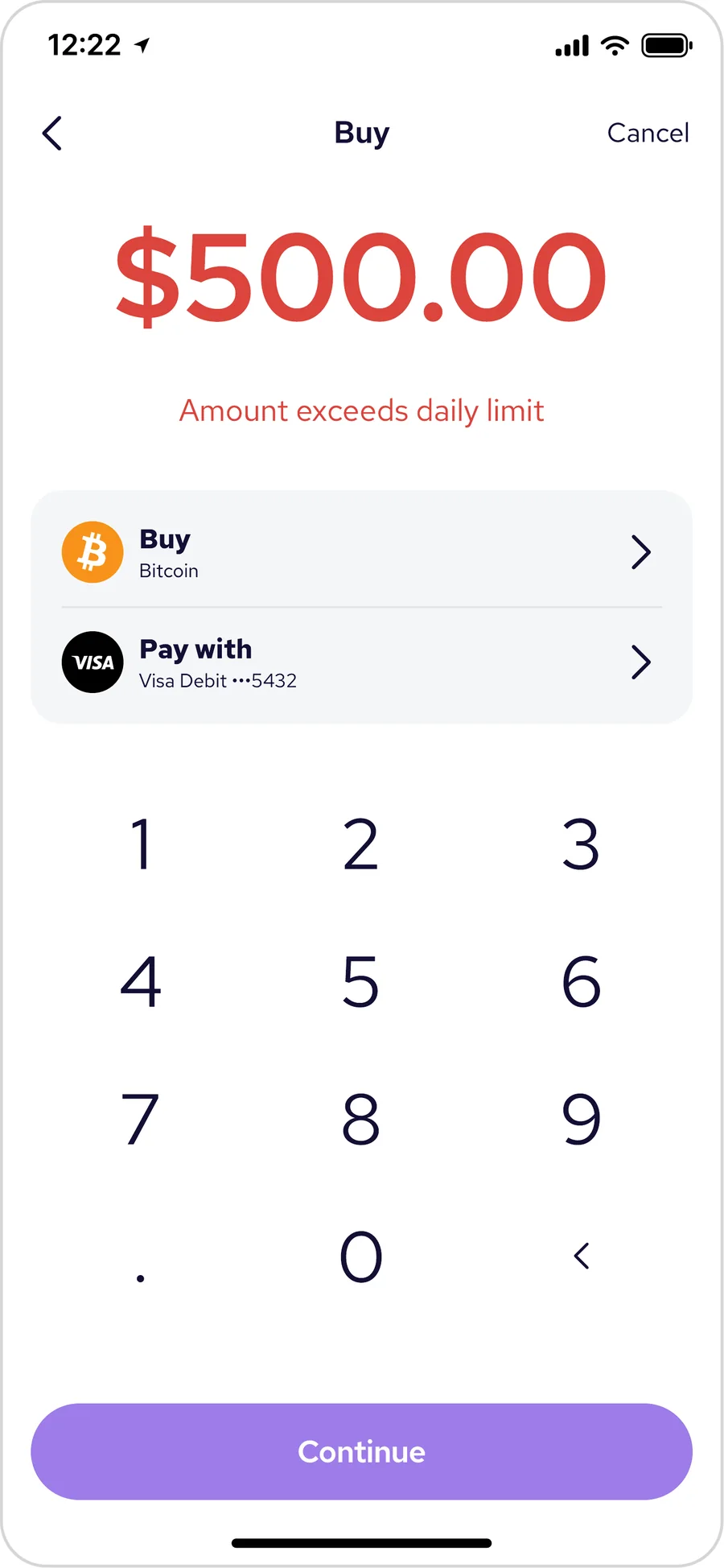
The inline limit error, shown before the customer continues.
Buy screen with $500.00 in red and “Amount exceeds daily limit” under it, Buy Bitcoin, Pay with Visa Debit ••••5432, the keypad, and a dimmed Continue button.
Phase 3 · 2026

When our processor suspended service, I moved debit to new rails in 10 days.

In summer 2026, our debit processor suspended our account, and customers couldn’t buy or sell with debit.

Rather than accept a shutdown that could last months, I proposed moving consumer debit to CRB’s infrastructure, which our Crypto-as-a-Service products already used. Then I led the migration.

*Apple Pay was out of scope. It needs a processor that supports it, and CRB doesn’t.

What I did

  • Restored debit transactions in 10 days
  • Protected an estimated $4M in transaction volume
  • Protected about $340K in revenue
Phase 3 · The wait room

New cards took longer to verify, so I designed a wait instead of a failure.

On CRB, verifying a new card took about 90–120 seconds. In testing, some customers reached checkout faster than that, and their purchase failed.

Rather than let them finish the flow and then fail, we told them the card was being verified and held the purchase until it was ready.

What I designed

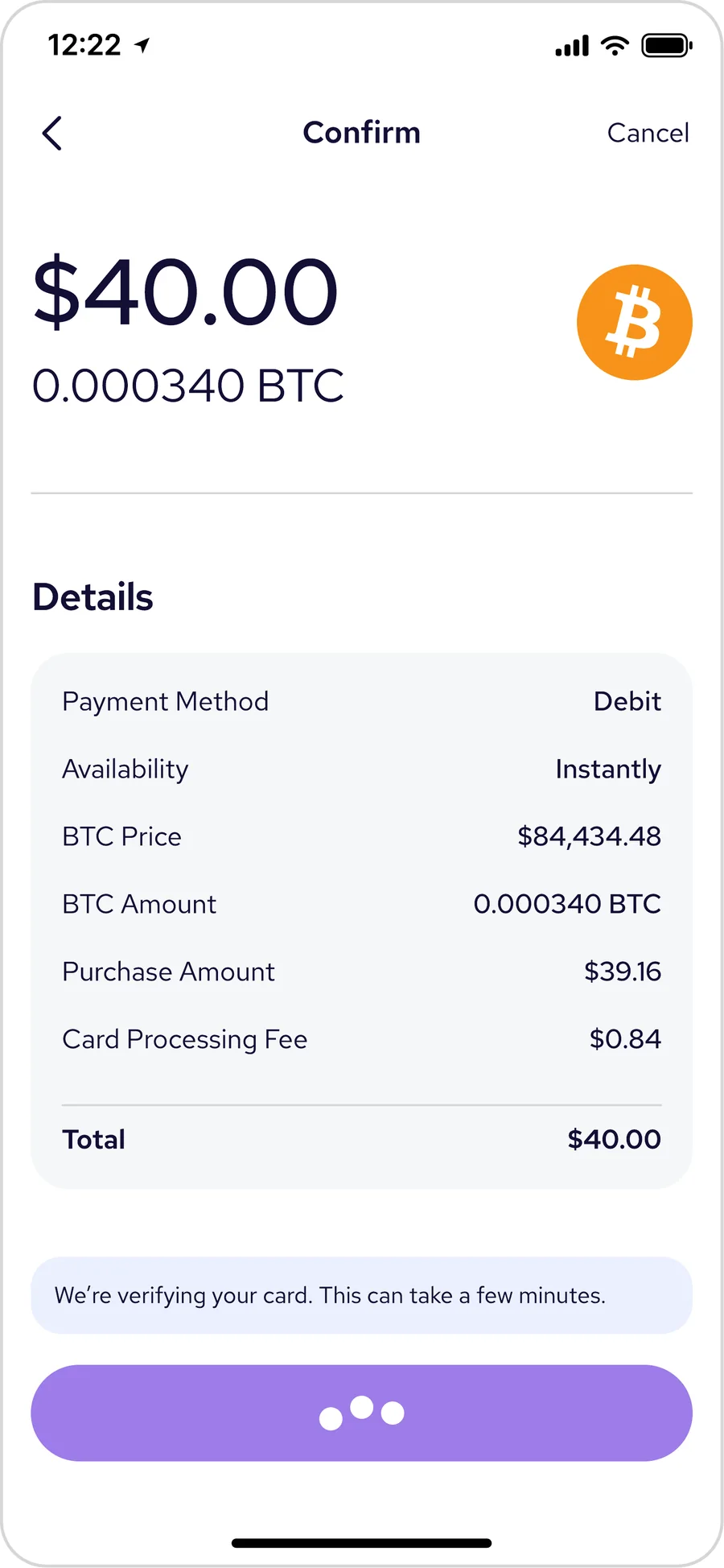
  • Wait on the screen: the confirmation screen says the card is being verified, and Confirm turns on when it’s ready
  • Leave and come back: an in-app notification says the card is ready, with a button back to the purchase
  • Or from outside the app: a push notification with a link straight back into the flow
  • Trade-off: a short wait for some customers, instead of a failed purchase they didn’t see coming
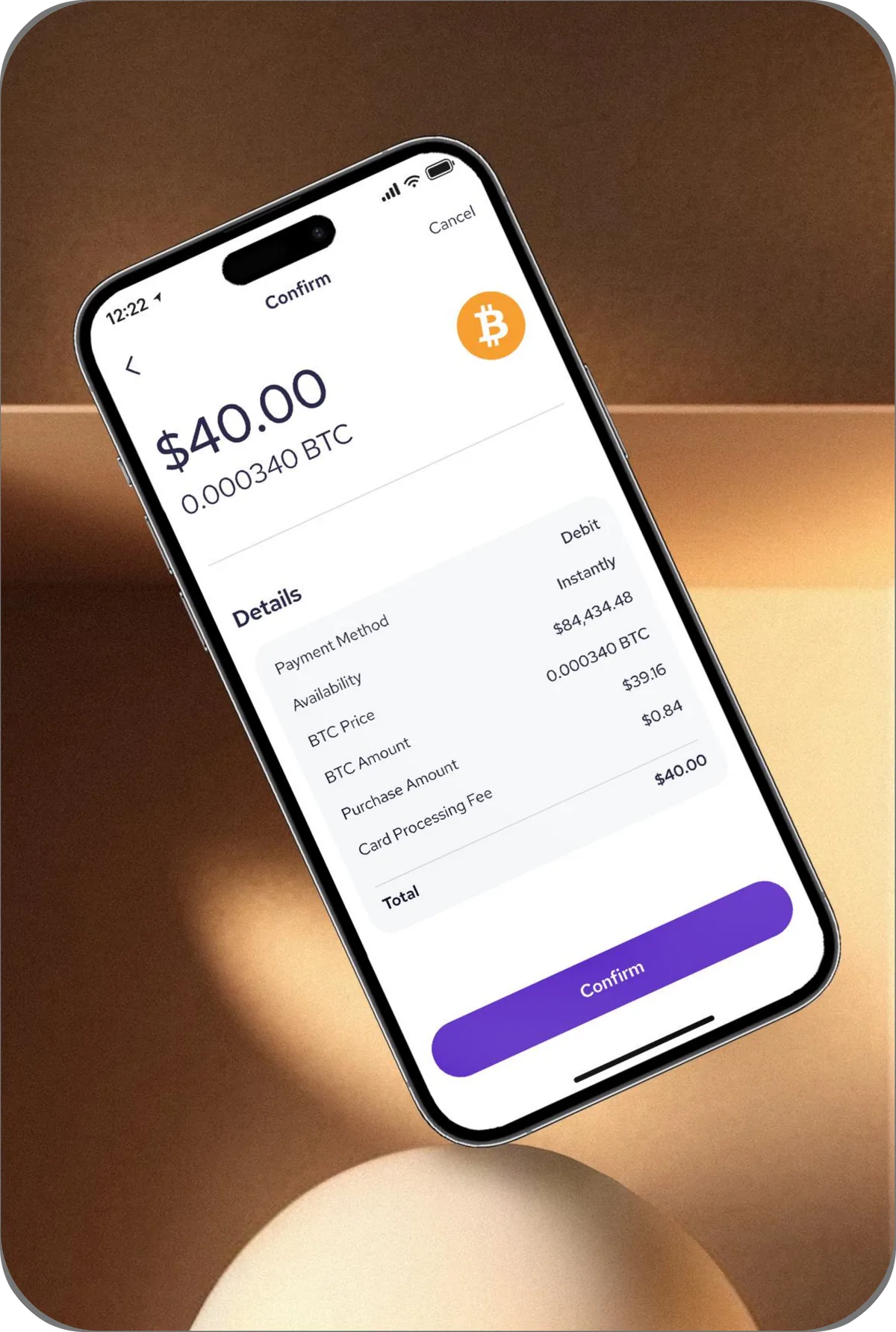
The wait room: the purchase waits while the card is verified.
Confirm screen: $40.00, 0.000340 BTC. Details: Payment Method Debit, Availability Instantly, BTC Price $84,434.48, BTC Amount 0.000340 BTC, Purchase Amount $39.16, Card Processing Fee $0.84, Total $40.00. A note reads “We’re verifying your card. This can take a few minutes.” above a dimmed button showing a loading indicator.

Outcomes & Impact

  • ~62% transaction approval rate

    up from 22%

  • Fewer chargebacks

    from Sardine’s risk rules

  • ~$6–7M in monthly debit activity

  • Debit restored in 10 days

    during the processor migration, protecting an estimated $4M in volume

Thank you.

Mauricio Martinez · Lead Product Designer & Product Manager